

https://www.theodinproject.com/lessons/foundations-git-basics this is the lesson that i am following. I completed the Create the Repository section successfully. I also completed the Use the Git Workflow section successfully. It’s the Modify a File or two where I am facing all the difficulties.
Can someone please show me the way how to do it ?
This comes up as i type pwd and ls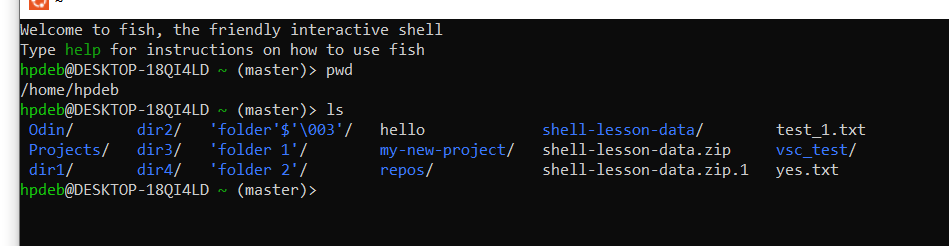
Hmm, yea WSL doesn’t make it clear.
So I think WSL sets up an artificial Linux directory system somewhere inside of Windows. In your case, it might be at
\\wsl$\ubuntu\home\hpdebif you want to hunt around for that on Windows File explorer. (source: https://superuser.com/questions/1185033/what-is-the-home-directory-on-windows-subsystem-for-linux) Afterwards, you can try and open that same folder in VS Code, once you know where it is.If none of that works, I also see that there is an extension for VS Code that makes it easier to connect to WSL. You might be better off by installing that extension to get things connected more easily. Supposedly after it is set up, you will be able to run
code .in your terminal to open the current directory in VS Code: https://code.visualstudio.com/docs/remote/wsl-tutorialnote: Don’t install VS Code a second time inside of WSL, that would be a pain to work with. Instead, this tool should take advantage of VS Code’s ability to connect to a remote server, and instead get it to “connect” to your local WSL file system.