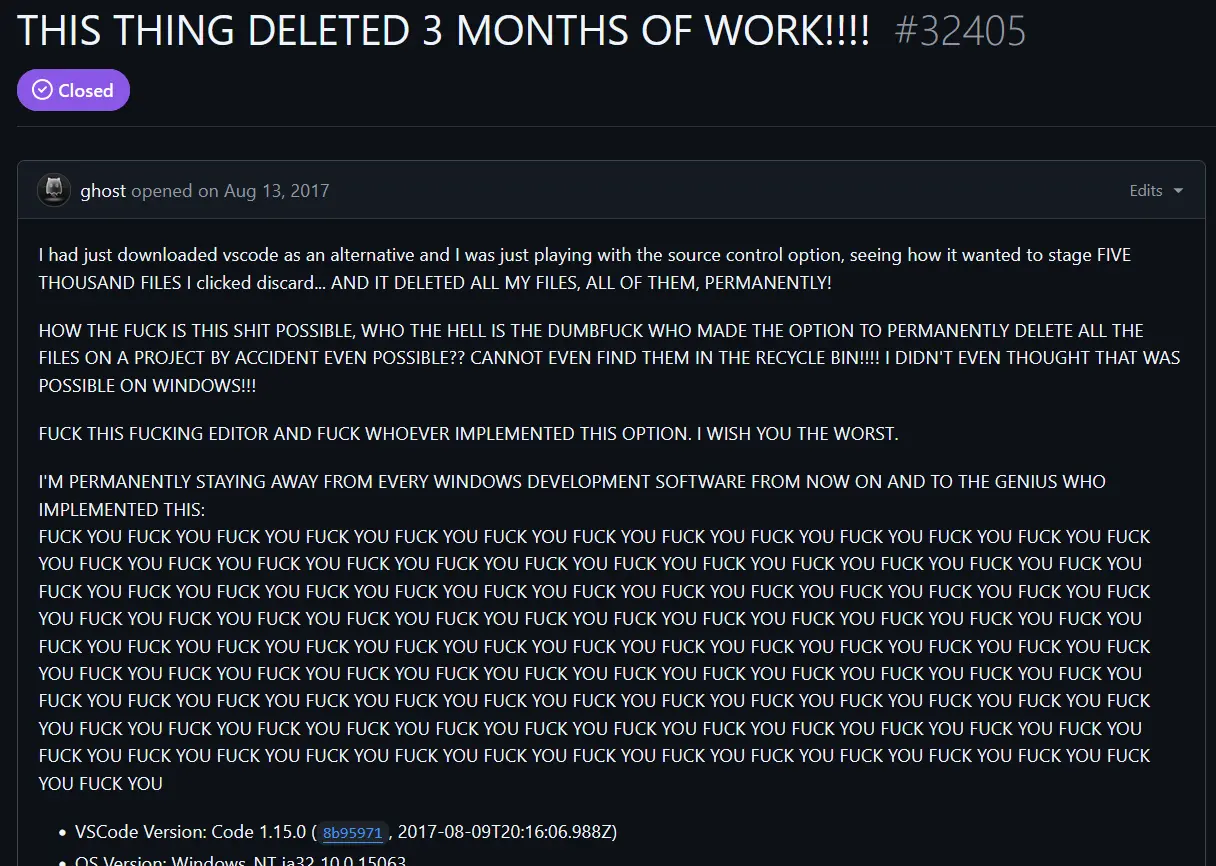
It was. If you go through the OP thread, one of the responses is a picture of the dialog window that this user clicked through saying, “these changes will be IRREVERSIBLE”.
The OP was just playing with a new kind of fire (VSCodes Git/source control panel) that they didn’t understand, and they got burned.
We all gotta get burnt at least once, but it normally turns us into better devs in the end. I would bet money that this person uses source control now, as long as they are still coding.
At the same time, OP seems a layman, and might be coming from things like Microsoft Word, where “Discard all changes” basically means “revert to last save”.
EDIT: After reading the related issues, OP may have also thought that “discard changes” was to uninitialise the repository, as opposed to wiping untracked files.
Apparently, it means changes to the directory structure and what files are in them, not changes within the files themselves. It really ought to be more clear about this.

🤣
I dunno, “discard changes” is usually not the same as “delete all files”
Nowadays the warning even says that this cannot be undone. Maybe that wasn’t present in 1.15, though.
It was. If you go through the OP thread, one of the responses is a picture of the dialog window that this user clicked through saying, “these changes will be IRREVERSIBLE”.
The OP was just playing with a new kind of fire (VSCodes Git/source control panel) that they didn’t understand, and they got burned.
We all gotta get burnt at least once, but it normally turns us into better devs in the end. I would bet money that this person uses source control now, as long as they are still coding.
If the “changes” are all your files, discarding them for me means basically delete my files, you know, the ones you are trying to add.
At the same time, OP seems a layman, and might be coming from things like Microsoft Word, where “Discard all changes” basically means “revert to last save”.
EDIT: After reading the related issues, OP may have also thought that “discard changes” was to uninitialise the repository, as opposed to wiping untracked files.
What exactly do you think discard means?
“Changes” are not the same thing as “files”.
I’d expect that files that are not in version control would not be touched.
Apparently, it means changes to the directory structure and what files are in them, not changes within the files themselves. It really ought to be more clear about this.
Yeah. They did substantially modify the message to make it much clearer, thankfully.